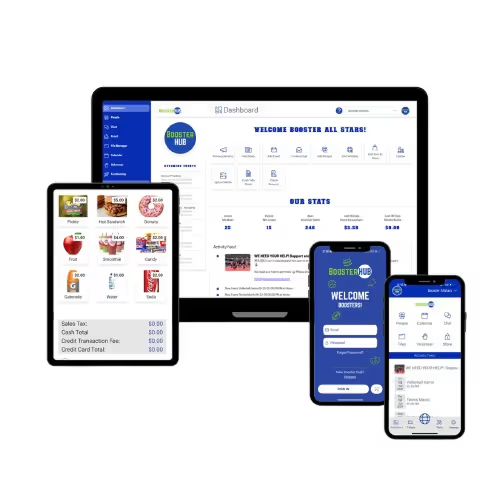
Take Control of Your Booster Club Spending with Debit Cards
Take Control of Your Booster Club Spending with Debit Cards
If you've ever been the treasurer of a booster club, you know the drill. Someone needs to buy supplies for the concession stand, so they use their personal credit card and promise to submit a receipt later. The spirit wear coordinator makes an emergency uniform order and fronts the money. The fundraising chair picks up decorations for the banquet and texts you a photo of a crumpled receipt three weeks later.
Then you spend hours—sometimes days—tracking down receipts, verifying purchases, processing reimbursements, and trying to reconcile everything in your books. You're constantly wondering if you're missing something, if someone's waiting on reimbursement, or if an expense was actually authorized in the first place.
Meanwhile, you're hoping nobody's personal card gets declined because they're carrying too much booster club expense. And you're praying that when tax time or audit time rolls around, you'll actually be able to document where every dollar went.
There has to be a better way. And now there is.
The Problem with Traditional Expense Management
Most booster clubs handle expenses one of two ways, and neither is ideal.
The first method is the personal reimbursement model. Volunteers use their own money for booster club expenses and submit receipts for reimbursement. This creates a massive administrative burden on your treasurer, who has to track submissions, verify receipts, write checks or process payments, and maintain documentation for every transaction.
It also creates barriers for volunteers. Not everyone can afford to float hundreds of dollars while waiting for reimbursement. Some volunteers avoid taking on certain responsibilities specifically because they don't want to use their personal funds. And the longer reimbursements take, the more frustrated volunteers become.
The second method is the shared card approach. The booster club has a credit card or, more commonly, a debit card linked directly to their bank account that gets passed around to whoever needs it. This sounds convenient until you realize you have zero control over spending. Anyone with the card has access to your entire bank account. There's no way to set limits per person or per transaction. And when something goes wrong, you have no idea who actually made the purchase or why.
Both methods create the same fundamental problem: you're managing expenses reactively instead of proactively. You're cleaning up messes instead of preventing them.
Introducing BoosterHub's Debit Card Program
BoosterHub's new debit card program changes the entire game for expense management. Here's how it works: as an admin, you can issue virtual or physical debit cards directly to volunteers who need to make purchases on behalf of the booster club. Virtual cards are available instantly, while physical cards are mailed to the recipient. Each card can be loaded with a specific amount of funds, comes with built-in spending controls, and provides complete tracking of every transaction.
Think of it like giving someone a prepaid card, except you control everything about that card. You decide how much money goes on it, where it can be used, what types of purchases are allowed, and how long it remains active. When the purchase is complete, you can unload the card immediately. And every single transaction creates an automatic audit trail that integrates directly with your accounting system.
No more personal reimbursements. No more tracking down receipts. No more wondering if purchases were actually authorized. Just clean, controlled, trackable expenses.
How It Actually Works in Practice
Let's walk through a real scenario. Your concession stand coordinator needs to buy supplies for Friday night's football game. Instead of asking them to use their personal card or trying to coordinate getting them the shared booster club debit card, you simply issue them a debit card right from your BoosterHub dashboard.
You load the card with $300—the amount you've budgeted for this purchase. You set an expiration for the card of three days, giving them time to shop but ensuring the card doesn't stay active indefinitely.
If you issue a virtual card, the coordinator receives their card information instantly and can start shopping right away or add it to their digital wallet. If you issue a physical card, it will be mailed to them. Either way, when they use the card, the transaction processes just like any other debit card purchase. The moment they swipe or tap the card, the transaction appears in your BoosterHub system with all the details: amount, merchant, date, and time.
When they're done shopping and have spent $287, you can immediately unload the remaining $13 from the card and deactivate it. You can easily categorize this transaction in BoosterHub—marking it as "Concessions" or whatever budget category makes sense for your organization. And if you still want physical receipt documentation for your records, the coordinator can simply submit the receipt through the submit expenses form in the BoosterHub app. The entire process took minutes instead of weeks, and you have complete documentation without the traditional reimbursement hassle.
The Controls That Give You Peace of Mind
The real power of this program isn't just convenience—it's control. You're not just handing out money and hoping people spend it appropriately. You're creating a system with built-in safeguards.
You can set spending limits per card, ensuring nobody accidentally or intentionally overspends. If you're issuing a card for a $150 purchase, you load it with $150, not unlimited access to your bank account. This protects both your budget and the cardholder from any confusion about how much they're authorized to spend.
You can set time limits on card validity. A card issued for a specific event can automatically expire after that event. This eliminates the risk of forgotten cards being used months later for unauthorized purchases. Every card can be as temporary or as permanent as your situation requires.
And you can unload and deactivate cards instantly. If plans change, if a purchase doesn't happen, or if someone completes their shopping early, you can immediately recover unused funds and ensure the card can't be used again. You're never leaving active cards floating around in people's wallets.
The Audit Trail That Makes Everyone's Life Easier
Here's what happens when your booster club gets audited or when you need to prepare financial reports or tax documents: you pull up your BoosterHub system and export a complete record of every card transaction, including who was issued the card, what they purchased, where they purchased it, and when.
No hunting through file folders for receipts. No trying to remember who made which purchase six months ago. No gaps in your documentation because someone lost a receipt or forgot to submit one. Everything is automatically tracked and stored in one system. And if you want to maintain physical receipt documentation as well, cardholders can easily submit their receipts through the submit expenses form in the BoosterHub app, attaching them directly to the transaction.
This audit trail doesn't just help during formal audits. It helps with everyday financial management. When your board wants to know where the money went, you can show them. When you're budgeting for next year and trying to understand spending patterns, you have clean data. When a parent questions an expense, you have documentation.
The transparency this creates is valuable for everyone. Volunteers know their purchases are being tracked, which encourages responsible spending. Board members can see spending in real-time rather than finding out about it weeks later. And you as treasurer or financial administrator can actually manage your budget proactively instead of reactively.
Real-World Use Cases for Debit Cards
The concession stand scenario is just one example. Once you start using debit cards, you'll find dozens of situations where they make life easier.
Event coordinators planning a banquet or awards ceremony can get a card for decorations, supplies, and venue deposits. Instead of fronting hundreds or even thousands of dollars personally, they can make purchases with booster club funds while you maintain control over the budget.
Coaches or team parents who need to buy equipment or uniforms can get cards with specific limits. If you've approved $500 for new practice equipment, issue a card for $500 and let them shop. When they're done, unload any remaining balance and deactivate the card.
Spirit wear coordinators who need to handle rush orders or make sample purchases can get temporary cards for specific amounts. Load it with the exact amount needed for that order, and unload it as soon as the purchase is complete.
Travel expenses for competitions or events become much simpler. Issue cards to chaperones or team managers with specific amounts for different purposes—one card for gas, another for meals, another for emergency expenses. Set different limits on each card based on your budget and expected costs.
Volunteers running fundraising events can get cards for upfront expenses without having to personally float the money until donations come in. This removes a significant barrier that prevents some people from volunteering to organize fundraisers.
Best Practices for Implementing the Card Program
Just because you can issue debit cards doesn't mean you should issue them without thought. Here are some best practices for making this program work effectively for your organization.
Start by creating a clear policy about when cards will and won't be issued. Not every tiny purchase needs a card. Small expenses under a certain threshold—say $25—might still be handled through petty cash or reimbursement. But anything substantial should go through the card system. Write this down so everyone understands the process.
Require approval before issuing cards. Don't let volunteers issue cards to themselves. Have a process where someone requests a card, provides justification and budget information, and gets approval from an authorized person before the card is issued. This creates accountability and ensures purchases are actually authorized.
Be specific about card parameters every time. Don't just issue a card and assume the person knows what it's for. Clearly communicate the amount loaded, what it should be used for, and when it expires. Document these parameters in your system and communicate them to the cardholder.
Check in on outstanding cards regularly. Just because you issued a card doesn't mean you should forget about it until it's used. Monitor active cards weekly and follow up if they haven't been used within a reasonable timeframe. Maybe the purchase didn't happen and the card should be deactivated. Maybe the person forgot about it and needs a reminder.
Unload and deactivate promptly after use. Don't let cards sit around with unused balances. As soon as a purchase is complete, recover any remaining funds and deactivate the card. This keeps your system clean and your funds secure.
Review transactions regularly even though they're automatic. Just because the system captures everything doesn't mean you shouldn't look at it. Review your card transactions weekly as part of your regular financial management. This helps you stay on top of spending and catch any issues early.
How This Changes Your Treasurer Role
If you're currently serving as treasurer, this program fundamentally changes your day-to-day experience. Instead of spending hours each week processing reimbursements and tracking down receipts, you're spending minutes issuing cards and reviewing transactions.
Your role shifts from reactive to proactive. Instead of finding out about expenses after they happen and scrambling to document them, you're approving expenses before they happen and automatically documenting them as they occur.
Your stress level drops significantly. You're not worrying about missed receipts or unauthorized purchases. You're not carrying the mental load of remembering who's waiting for reimbursement. You're not fielding complaints about slow reimbursement processes.
And your financial reporting becomes dramatically easier. When board members ask questions about spending, you can pull up real-time data instead of trying to piece together information from various sources. When it's time to prepare reports, your data is already organized and complete.
Integration with Your Overall Financial System
The debit card program isn't a standalone solution—it's integrated into your complete BoosterHub financial management system. Every card transaction automatically appears in your accounting records, ready to be categorized with just a click. You can assign transactions to specific budget categories, programs, or events, making it easy to track spending exactly where you need to.
All your debit card transactions are available right in BoosterHub alongside your other financial data. You're not managing two separate systems. You're not exporting data from one place and importing it somewhere else. Everything flows together seamlessly. Your debit card expenses, your online payment processing, your bank account activity—it all lives in one system with one source of truth.
This integration is what makes the audit trail so powerful. You're not just tracking card transactions in isolation. You're tracking them in the context of your complete financial picture. You can see how card expenses relate to your budget categories, how they compare to other types of expenses, and how they impact your overall financial health.
Getting Started with Debit Cards
If you're ready to implement debit cards for your booster club, the process is straightforward. Enable the debit card program in your BoosterHub account, set up your administrators who will have permission to issue cards, and establish your internal policies about when and how cards will be used.
Start small if you're nervous about the transition. Pick one high-volume expense category—maybe concessions or spirit wear—and use cards for just that area at first. Once you see how much easier it makes everything, you can expand to other areas.
Communicate the change to your volunteers clearly. Explain how the new system works, what they need to do to request a card, and how it will make their lives easier. Most people will embrace this change quickly once they realize they won't have to use their own money anymore.
Train your key administrators on how to issue cards, set controls, and manage the system. Make sure at least two or three people know how to handle this so you're not creating a single point of failure.
The Bottom Line on Expense Management
Managing booster club expenses doesn't have to be a nightmare of lost receipts, slow reimbursements, and murky documentation. With the right tools, it can be straightforward, transparent, and actually empowering for your volunteers.
Debit cards give you control without creating bureaucracy. They provide flexibility without sacrificing accountability. They make spending easier for volunteers while making tracking easier for administrators. And they create documentation that protects everyone—your volunteers, your board, your organization, and the students you serve.
If you're tired of the old way of handling expenses, if you're spending too much time on reimbursements, or if you're worried about your audit trail, it's time to consider a different approach. The technology exists to make this easier. You just need to start using it.
Your volunteers will thank you for not making them front their own money. Your board will thank you for the transparency and control. Your auditor will thank you for the clean documentation. And you'll thank yourself for getting back all those hours you used to spend tracking down receipts and processing reimbursements.
Time to take control of your spending—literally.
Simplify Communications from App to Website